
If you are setting up a Terminal Server or a VDI environment on Windows Server 2022, you already know you need a Remote Desktop Services (RDS) CAL.
But when you go to your software vendor, they hit you with another question: “Do you want the Device version or the User version?”
Choosing the wrong one won’t just cost you money; it can cause technical headaches when setting up your Remote Desktop License Server. Let’s break down the exact difference and how to calculate which one is cheaper for your specific business.
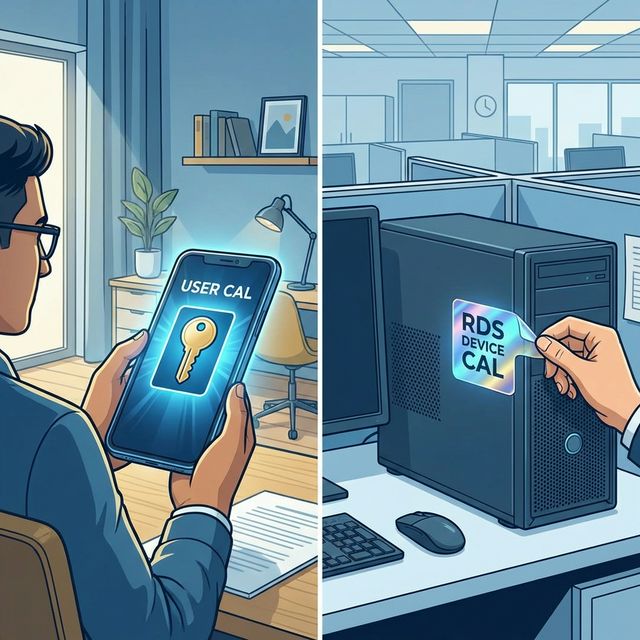
1. The RDS User CAL (The “Backpack” License)
Think of an RDS User CAL as a license that goes into an employee’s backpack. Wherever they go, the license goes with them.
- How it works: You assign the license to a specific human being (e.g., John Smith) in Active Directory.
- The Right: John Smith can log into your Remote Desktop Server from any number of devices. He can use his desktop PC at the office, his laptop at home, his iPad on the plane, and his smartphone in a coffee shop. All of those connections are covered by his one User CAL.
- Best For:
- Remote workers.
- Employees who use multiple devices (BYOD environments).
- Companies where you have more devices than employees.
2. The RDS Device CAL (The “Station” License)
Think of an RDS Device CAL as a physical sticker placed on a specific piece of hardware (like a desktop PC or thin client).
- How it works: When a specific device connects to the Remote Desktop Server for the first time, the License Server issues a temporary token. If it connects again, it issues a permanent token, tying the license to that specific MAC address/Hardware ID.
- The Right: Any number of people can sit down at that specific licensed device and log into the server. If Employee A logs in from 8 AM to 4 PM, and Employee B logs in from 4 PM to Midnight on the same machine, you only need one Device CAL.
- Best For:
- Shift workers (hospitals, call centers, factory floors).
- Kiosks or shared workstations.
- Companies where you have more employees than devices.
The Mathematical Breakeven Point
To decide which one to buy, simply count your humans and count your screens. Buy whichever number is lower.
-
Scenario A (The Remote Office): You have 50 employees. Everyone has a laptop, a smartphone, and a home PC they occasionally use.
- Humans: 50
- Devices: 150
- Decision: Buy 50 User CALs. (Save the cost of 100 licenses).
-
Scenario B (The Call Center): You have 100 employees working in three 8-hour shifts. They share 35 physical desk computers.
- Humans: 100
- Devices: 35
- Decision: Buy 35 Device CALs. (Save the cost of 65 licenses).
The Technical Trap: Mixing CALs
Technically, Microsoft says you can have both User CALs and Device CALs on the same network. Practically, you should avoid this at all costs.
Here is what happens when you mix them:
When a user connects, the RDS License Server tries to figure out which pool of licenses to pull from. Because User CALs are not strictly “enforced” by the licensing server (they are mostly tracked on the honor system via reports), while Device CALs are strictly enforced (assigned via hardware ID), the server often gets confused.
If you must mix them, you generally have to deploy two separate Remote Desktop License Servers and point different Session Hosts to different servers. It is an administrative nightmare.
Our Advice: Do the math, pick the cheaper model for your specific workforce, and stick to it 100%.
Summary Checklist
- Do you have more people than computers? -> Buy RDS Device CALs.
- Do your people work from home or use phones/tablets? -> Buy RDS User CALs.
- Don’t forget the Base CAL! -> Remember, an RDS CAL only covers the graphics/GUI. Every user or device also needs a basic Windows Server CAL to cover file/print/Active Directory access.